

Most product and marketing teams already rely on user research software. It’s become a core part of building anything customers actually want. But just having a tool in place doesn’t mean you’re getting actionable insights.
I’ve seen researchers drowning in disorganized interview notes, product teams sifting through spreadsheets, trying to spot patterns, and marketers making decisions based on gut feel instead of real user behavior. In a world where customer expectations are sky-high and competition is fierce, relying on guesswork doesn’t just risk bad decisions; it wastes time and budget.
That’s why I took a closer look at the best user research software available today. I analyzed G2 reviews, compared top-rated platforms, and dug into feedback from teams using these tools to shape better products and campaigns. I evaluated 10+ tools like UserTesting, User Interviews, Dscout, Prolific, Discuss, Respondent, and Dovetail to see how they turn research into actionable insights.
Whether you’re looking for user research software to support agile sprints, a scalable platform for continuous discovery, or an intuitive tool that helps you connect the dots between what users say and what they need, this guide is here to help you find the right fit.
7 best user research software: My picks for 2026
-
UserTesting: best for remote usability testing with video feedback
Captures real users interacting with products via screen, voice, and facial expressions. -
User Interviews: best for participant recruitment and management
Handles sourcing, screening, and scheduling from a large or custom panel. -
Dscout: best for in-context, diary-style mobile research
Collects video, photo, and text entries over time for deep behavioral insight. - Discuss: best for live interviews and video focus groups
Enables moderated sessions with automatic transcripts and highlight tools. -
Prolific: best for academic-grade survey participants
Provides vetted, diverse participants ideal for surveys and experiments. -
Respondent: best for sourcing niche B2B and professional users
Recruits verified professionals across industries for targeted research. ($40/session) -
Dovetail: best for organizing and analyzing qualitative data
Centralizes notes, tags, and insights to reveal patterns in research.
* According to G2's Winter 2026 Grid Reports, these best user research software programs are top-rated in their category. Pricing for most of these tools is available on request; the rest are mentioned above.
My 7 best user research software picks for 2026
While evaluating these tools, it became clear how much they simplify and scale the user research process. In fact, according to Fortune Business Insights, the user research software market is expected to grow to over $1247.60 million by 2034, driven by demand for customer-centric development.
The right software makes research easier, actionable, and effective, whether it’s recruiting participants, collecting feedback, or analyzing patterns. That’s especially important for product teams operating in fast-moving environments, UX researchers trying to validate ideas quickly, and marketers who want to uncover real user behavior.
If you’re looking for a tool that helps streamline moderated interviews, run continuous discovery programs, or turn qualitative insights into product direction, these platforms stood out for their flexibility, usability, and research depth.
How did I find and evaluate the best user research software?
To identify the top user research tools, I analyzed real user reviews on G2 to understand how these platforms perform across different research workflows. I evaluated how each tool supports various stages of the research process, whether it's gathering early product feedback, testing live prototypes, or analyzing qualitative data at scale.
I also used AI to sift through user reviews and G2 Grid® Reports to compare ease of use, feature depth, and overall satisfaction across categories. This guide includes screenshots from vendor G2 pages to show what the platforms actually look like in use.
I’ve curated this list to help research and product teams find the right software to run faster, more reliable, and more impactful studies, whether you're building from scratch or optimizing at scale.
What makes the best user research software worth it: My opinion
When evaluating the best user research platforms, I focused on features that directly impact research quality, cross-functional collaboration, and the ability to scale insights across teams like product, design, marketing, and customer success.
- Support for multiple research methods: Top tools don’t lock you into one approach. I looked for platforms that support both moderated and unmoderated testing, surveys, card sorting, diary studies, and even in-product feedback. The best user research software gives teams the flexibility to choose the right method for the right stage, whether you're exploring early ideas or validating live designs.
- Participant recruitment and targeting: A great platform should help you reach the right users, fast. I prioritized tools that offer integrated panels, screeners, and flexible demographic filters to recruit quality participants. Bonus points if the tool supports BYO participants and lets you schedule sessions without back-and-forth.
- Collaboration and visibility: Research shouldn’t live in silos. I looked for software that makes it easy to tag insights, create highlight reels, and share findings with stakeholders in product or leadership. The best platforms make insights searchable, commentable, and accessible across teams, so decisions get made with confidence.
- AI-powered analysis: Manual analysis takes time. I favored tools that speed up the process with features like sentiment detection, auto-tagging, transcription, and even thematic clustering. These capabilities help researchers spend less time sifting through recordings and more time synthesizing patterns.
- Security and compliance: User research often involves sensitive conversations or personal data. I looked for tools that are GDPR-compliant, offer consent workflows, and allow redaction or anonymization. Built-in security is non-negotiable, especially when you're scaling research in regulated environments.
- Customization and branding: The best research software adapts to your brand and tone. Whether customizing survey themes or tailoring the user experience in testing environments, I looked for tools that let you create a seamless, branded participant experience so users stay focused and engaged.
- Offer qualitative and quantitative research capabilities
- Offer two or more UX research methods, such as prototype testing, concept testing, usability testing (for example, A/B testing, card sorting, tree testing, etc.), or user testing (for example, focus groups, surveys, interviews, diary studies, etc.)
- Facilitate participant recruitment and feedback collection and management to gather insights into user behavior, feedback, and decision-making
- Provide features or integrate with tools that help tag, sort, and share individual interviews and responses for analysis to enable organizations to make the correct optimization decisions
This data was pulled from G2 in 2026. Some reviews have been edited for clarity.
1. UserTesting: Best for remote usability testing with video feedback
According to G2 Data, UserTesting empowers 42% enterprise and 39% mid-market teams to validate decisions, co-innovate at scale, and accelerate the path to their best products and experiences.
One feature that consistently stands out is its broad applicability across testing types, which lets organizations adapt the tool for both strategic and day-to-day decision-making.
A common thread I’ve noticed is how easy users find it to set up and run different kinds of tests, which many say saves them valuable time. Reviewers highlight the intuitive setup process in particular as a major time-saver, allowing teams to launch studies quickly without long learning curves.
Across multiple reviews, I’ve seen G2 users highlight the value of flexible task options. Many appreciate being able to customize studies instead of relying on a standard approach. This task flexibility makes the feedback more relevant and actionable, helping them deliver insights that align closely with their project goals.
One feature that stands out is the combination of quick metrics and live interviews. Quick metrics give users instant, data-backed feedback, while live interviews add real-time context through participant reactions. Based on the reviews I read, this blend of qualitative and quantitative insights helps teams build stronger reports and share recommendations with confidence.
Its efficiency in test setup and rapid response collection, combined with a straightforward interface, makes it accessible even for those new to usability testing. The accessible design lowers the barrier to entry, ensuring that even first-time users can generate meaningful results without specialized training.
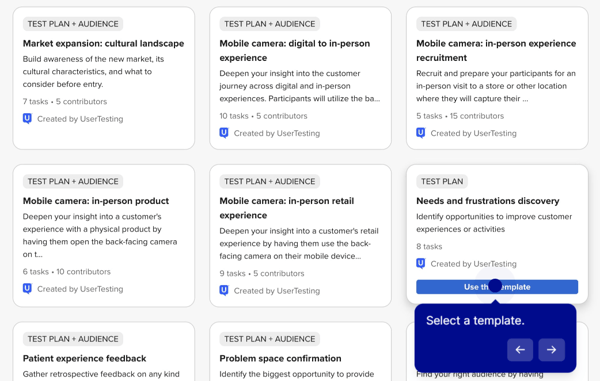
Some G2 users would like to see improved reporting. Several reviewers noted they’d prefer more customizable export formats to tailor insights for different audiences. The reporting suite is still praised overall for allowing teams to create detailed, data-driven presentations that effectively capture user feedback and trends.
Navigation could be smoother. A few G2 users noted that some tools took some time to find at first. This suggests the navigation structure may benefit from refinements, though most users still find their way around after some initial adjustments.
Overall, from the reviews I’ve gathered, UserTesting is widely praised for its ease of use, comprehensive testing capabilities, and ability to deliver actionable insights. The combination of flexibility, speed, and data depth positions it as a trusted tool for teams seeking to validate ideas and optimize user experiences.
What I like about UserTesting:
- It feels really simple to set up and run tests, and G2 users seemed to appreciate how much time that saved them.
- The flexibility in customizing studies stood out to me. I’ve seen it mentioned often in G2 reviews as making the feedback more relevant.
What G2 users like about UserTesting:
“UserTesting makes it really easy to understand what real users think and feel while using a product. What I like is how quickly you can get genuine feedback by watching users interact with your product and hearing their thoughts in real time. It removes a lot of guesswork from decision-making. Instead of assuming what users want, you actually see where they struggle or what they like. This helps improve designs, flows, and features with more confidence and saves time that would otherwise go into back-and-forth discussions.”
– UserTesting Review, Radhika R.
What I dislike about UserTesting:
- A few G2 users noted that some tools took some time to find at first. The navigation structure can benefit from refinements, though most users still find their way around after some initial adjustments.
- Reviewers noted they’d prefer more customizable export formats to tailor insights for different audiences.
What G2 users dislike about UserTesting:
“I wish I had more control over how I code in UserTesting and the ability to save quotes directly within the app. The current functionality doesn't allow for this, or I don't understand how to do it, and I find myself missing features like those offered by Dovetail, which our organization doesn't have access to. I used to use a connector between testing and DT in my last org. That was super helpful.”
– UserTesting Review, Danny C.
2. User Interviews: Best for participant recruitment and management
User Interviews is widely valued for helping teams conduct research quickly and efficiently. According to G2 Data, it's used by 34% small businesses, 37% mid-market teams, and 29% enterprises, which reflects its strong reputation for reliable participant recruitment.
I’ve noticed reviewers praising its fast turnaround time. Several users mentioned they could go from creating a research plan to recruiting participants in just a day. This speed is powered by the platform’s rapid recruitment system, which many say enables them to gather insights in record time.
Many reviewers also highlight how simple the project design process is. They often describe the interface as intuitive, even for first-time users, making it easy to set up projects and find the right respondents without much training.
Many G2 users highlight that the built-in payment management streamlines operations and makes incentive handling nearly effortless.
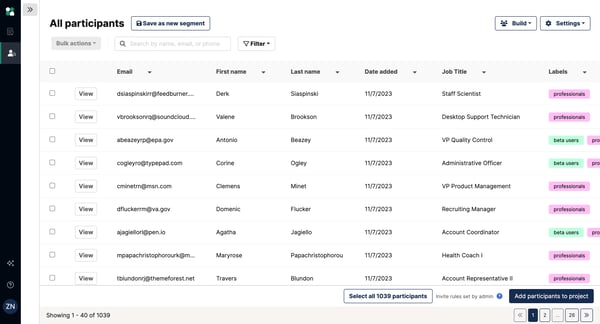
Some users noted that additional flexibility around participant incentives would be helpful. Reviewers mentioned that the ability to adjust incentives for participants who have not yet completed a session could make recruitment more adaptable. That said, many users also highlighted the platform’s consistent participant quality, which often reduces the need for such adjustments.
Overall, based on the G2 reviews I’ve read, User Interviews is seen as a highly efficient and supportive tool for research. Its combination of fast recruitment, intuitive design, and active coordinator support makes it especially valuable for teams looking to move quickly from idea to insights.
What I like about User Interviews:
- The quick turnaround really stood out to me. G2 users often mentioned they could go from planning to recruiting in just a day.
- I found the platform to be intuitive, even for first-time users, which many G2 reviewers said helped them set up projects without much training.
What G2 users like about User Interviews:
“I like that User Interviews has a wide range of different people to reach out to, and they have their LinkedIn for verification. The interface is pretty easy to understand. It's also helpful to set things up as fast as possible so I can get tests out quickly and then look at both qualitative and quantitative data to build and launch product features.”
– User Interviews Review, Miriam P.
What I dislike about User Interviews:
- Some users mentioned that additional flexibility with participant incentives would help make recruitment more adaptable.
What G2 users dislike about User Interviews:
“So far, I have found only a small number of interviews that match my profile. I would appreciate being included in more opportunities.”
– User Interviews Review, Osvaldo B.
3. Dscout: Best for in-context, diary-style mobile research
Dscout is a qualitative remote research platform designed to unlock in-context user insights. According to G2 Data, it is used by 62% of enterprise teams.
A recurring theme across reviews is the platform’s fast and simple recruiting process. Many users noted that setting up and launching studies takes very little time, allowing them to focus more on analyzing feedback instead of managing logistics — a major advantage under tight deadlines.
Reviewers also highlight the platform’s user-friendly interface, especially for diary studies and in-depth interviews (IDIs). They describe it as intuitive and easy to navigate, with little to no learning curve. This makes it simple to switch between different study types without being slowed down by technical barriers.
Many G2 reviewers also appreciate how easy it is to build and organize questions within Dscout. Users highlight the flexibility to move questions around while setting up studies, which makes the testing process feel quick and intuitive. Several reviewers also mention that being able to reuse questions and screeners across projects saves time and helps maintain consistency when running multiple research sessions.
One feature that stands out, highlighted by 90% of G2 reviewers, is Dscout’s video interview functionality. Many say it allows them to capture nuanced, face-to-face feedback remotely, adding depth and context to their research. Reviewers frequently describe this as one of the platform’s most valuable tools for generating meaningful qualitative insights.
G2 reviewers frequently praise Dscout’s customer support for being responsive, knowledgeable, and easy to work with. Many users share that the support team is quick to address questions and provide guidance, especially when setting up studies or navigating features for the first time. Reviewers also appreciate the proactive approach of the team, noting that they often offer helpful suggestions to improve research workflows.
Another strength often mentioned is the quality of Dscout’s participant pool. Respondents are consistently described as vetted, thoughtful, and articulate, which gives researchers confidence in the reliability and richness of the feedback they collect. For many, this access to engaged participants significantly improves research outcomes.
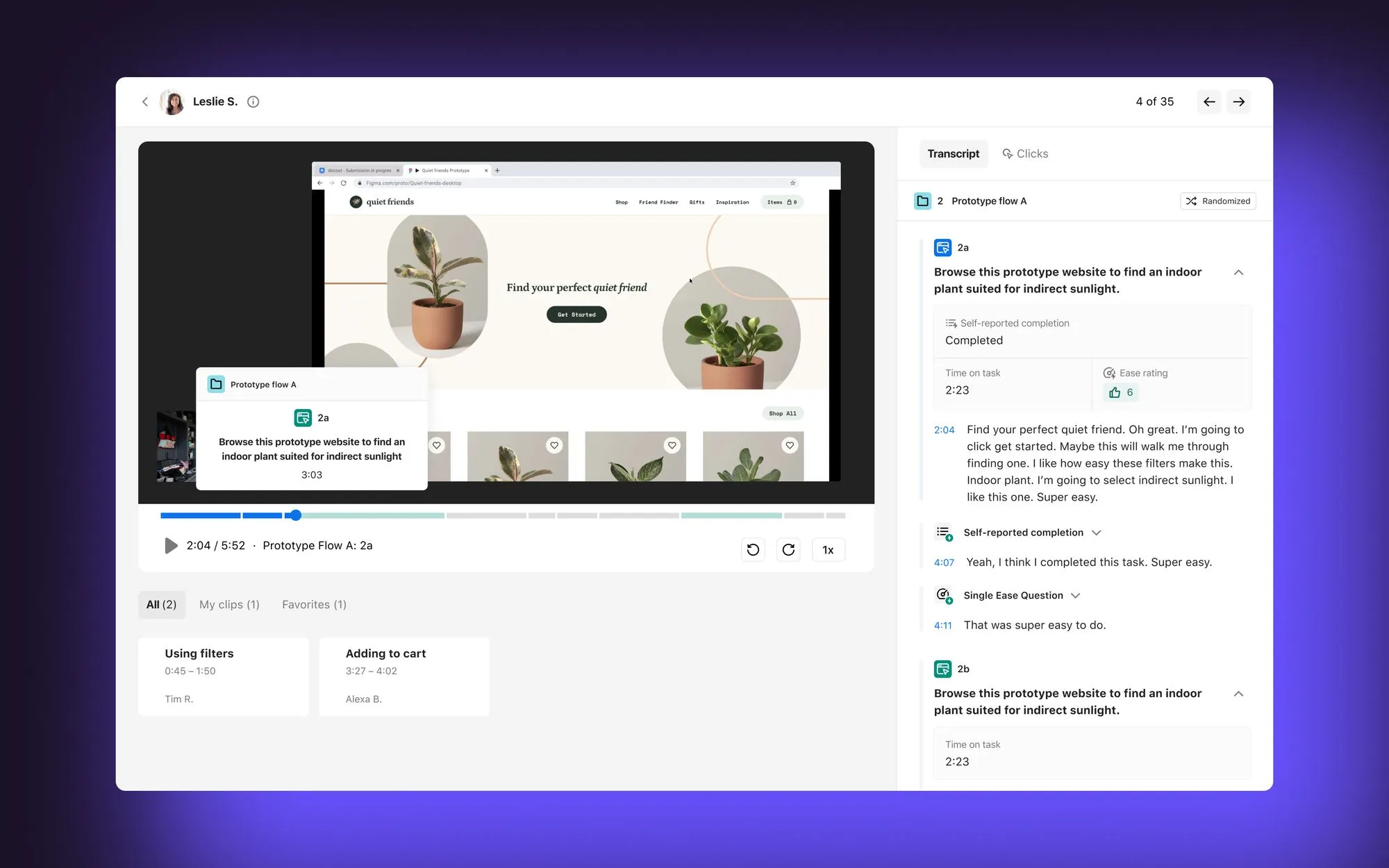
Some reviewers mentioned that recruiting participants from highly specific or niche demographics can require additional sourcing. However, they noted that Dscout’s flexible recruitment options make it easy to bring in external participants, helping teams broaden their research pool and include a wider range of perspectives.
A few G2 users shared feedback around Scout invitation management. Some reviewers mentioned that additional flexibility to uninvite or re-invite participants could help make project management more seamless. This feedback highlights opportunities to further enhance participant management within the platform.
Overall, based on the feedback I reviewed, Dscout earns high marks for its fast recruiting, intuitive interface, and powerful qualitative research tools.
What I like about Dscout:
- To me, the recruiting process feels really quick and simple, something G2 users often mention as saving them valuable time.
- I’ve noticed the interface is intuitive, especially for diary studies and interviews, so G2 users report a very small learning curve.
What G2 users like about Dscout:
“I like that Dscout is very easy for me to be self-service, even though support is always available if I have a question. It's become really easy for me to program and launch a diary study on my own, and I'm so well-versed in it now that I could probably program a week-long diary study within an hour. The buttons and settings are very clear, and I rarely encounter situations where I'm confused about how to approach a question that our client comes to us with. Their support staff is helpful, with a live chat feature, a good FAQ section, and a representative assigned to each account. I find this really helpful. Overall, it's made my work more efficient and streamlined, allowing me to deliver findings to my client faster and more seamlessly.”
– Dscout Review, Alexandra S.
What I dislike about Dscout:
- Some G2 users noted that recruiting participants from highly specific or niche backgrounds may require additional sourcing. A thorough navigation of Dscout's flexible recruitment options helps.
- Additional flexibility in Scout invitation management, such as options to uninvite or re-invite participants, would support smoother participant coordination.
What G2 users dislike about Dscout:
“There's a learning curve when onboarding. Creating separate screeners and missions is a move away from our typical ways of working, but once you have learned the platform setup, it works really well.”
– Dscout Review, Peta C.
Watching real user sessions is like reading your customers’ minds. Discover the best session replay tools to see where users struggle and where they shine.
4. Discuss: Best for live interviews and video focus groups
Discuss is a leading end-to-end qualitative research platform for in-depth market insights. According to G2 Data, it is used by 43% small businesses and 33% mid-market teams.
Many reviewers highlight its clean, intuitive interface, which makes navigation effortless. I also noticed frequent mentions of the robust resource library and responsive support team, with users appreciating the guidance available whenever they need it.
A feature that consistently earns praise is the seamless calendar integration with Google and Outlook. According to multiple reviews, this makes scheduling stress-free, keeping everything in sync, and allowing teams to focus more on conversations than logistics. Users note that this saves significant time and helps projects stay on track.
I’ve also seen reviewers emphasize that Discuss is faster and more cost-effective than traditional focus groups. Many say setting up and running studies feels streamlined, with noticeably quicker turnaround times for insights. This speed and efficiency are especially valued by teams looking to bring the customer’s voice into decision-making, particularly in advertising.
One standout capability is the platform’s AI-powered video analysis. According to G2 Reports, 79% users are satisfied with its AI-text summarization feature. Users say it quickly synthesizes key takeaways, reducing time spent sifting through data and letting them focus on applying insights strategically. Many credit this feature with speeding up projects and improving outcomes.
G2 reviewers frequently highlight Discuss’s backroom chat feature as a valuable tool for collaboration during live research sessions. The platform allows observers and team members to communicate privately with the moderator or each other while a session is in progress, without the participant seeing the conversation.
Another highly praised feature is Genie AI. From the reviews I read, users describe it as a true collaborator, supporting every stage of research from creating guides and tags to assisting with interview analysis. Many felt it was like having an extra team member dedicated to maximizing the value of their studies.
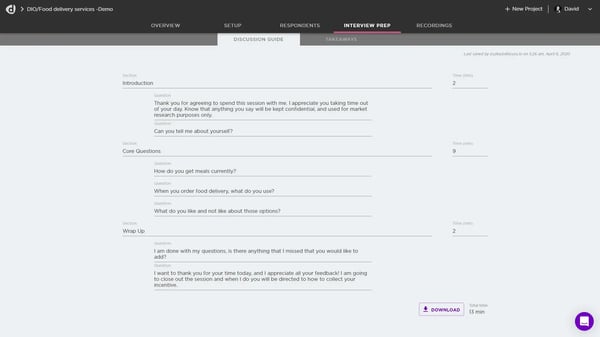
Some G2 users mentioned that additional capabilities within the platform’s video editing tools could further support their workflow. A few reviewers shared that edits can take a little time to process and that more advanced editing options could help teams refine clips more easily within the platform.
Discuss supports recording and sharing research sessions directly within the platform. Some G2 users noted that video resolution could be sharper for stakeholder presentations, though many reviewers appreciate having integrated editing and sharing tools in one place, which helps streamline the process without relying on external platforms.
Overall, based on the G2 feedback I reviewed, Discuss is seen as a sleek, efficient, and insight-rich platform. Its intuitive design, smooth scheduling, AI-powered analysis, and well-regarded Genie AI make it a trusted choice for teams conducting qualitative research at scale.
What I like about Discuss:
- To me, the interface feels really clean and easy to navigate. G2 users often mentioned how much they appreciated that simplicity.
- I was particularly impressed by the AI-powered analysis. G2 reviewers said it quickly extracts key takeaways, allowing them to focus more on applying insights.
What G2 users like about Discuss:
“I appreciate the observer stream in Discuss that resolves issues you might face with regular video chat services, like participants seeing the observers. My favorite feature is being able to clip moments as an observer to highlight specific things participants say. The ‘back-room' chat is also great for moderators and observers to chat together. It's great for allowing observers to get the most out of the research work, enabling the addition of notes, asking for specific prompts, and clipping relevant moments effectively.”
– Discuss Review, Ronnie B.
What I dislike about Discuss:
- Some G2 users noted video resolution could be sharper for presentations, though many value the integrated editing and sharing tools that streamline workflows.
- Additional capabilities in the platform’s video editing tools could support smoother workflows. Faster processing and more advanced editing options would help refine clips more easily.
What G2 users dislike about Discuss:
“At times, since Discuss depends so much on a stable internet connection and the quality of your hardware, images may appear pixelated, or the audio might drop out. Additionally, if you depend too much on AI, there is a chance of misunderstanding the responses, so it's important to always double-check the analysis.”
– Discuss Review, Benjamin R.
5. Prolific: Best for academic-grade survey participants
Prolific makes it easy to collect high-quality data from its pool of over 200,000 diverse, vetted participants. According to G2 Data, it is used by 43% enterprise teams.
A frequent highlight is the platform’s streamlined recruiting process. G2 users praise its efficiency, noting that the ability to launch studies quickly lets them focus more on research design than recruitment logistics.
Another strength reviewers often point out is Prolific’s speed in data collection. Many say they can gather large amounts of quality data in a short time span, which helps them move from planning to insights without long delays. For researchers working under tight timelines, this responsiveness is especially valuable.
I often see users emphasize the quality of participants. This is supported by G2 Data, which shows that 84% users are satisfied with the recruitment pool. Prolific consistently delivers reliable respondents. This gives researchers confidence in the integrity and trustworthiness of their data, something that can be difficult to guarantee in online research.
Many G2 reviewers also appreciate Prolific’s precise participant targeting capabilities. Users highlight the ability to recruit a specific proportion of participants based on detailed demographic filters such as age, gender, and even political affiliation. This level of control helps researchers build balanced, representative samples for surveys and social experiments.
Prolific also earns praise for its user-friendly setup and support resources. Many note that the platform not only makes recruitment fast and straightforward but also provides clear guides and integration tools for connecting with survey or experiment platforms. These resources help teams avoid common roadblocks and keep studies running smoothly.
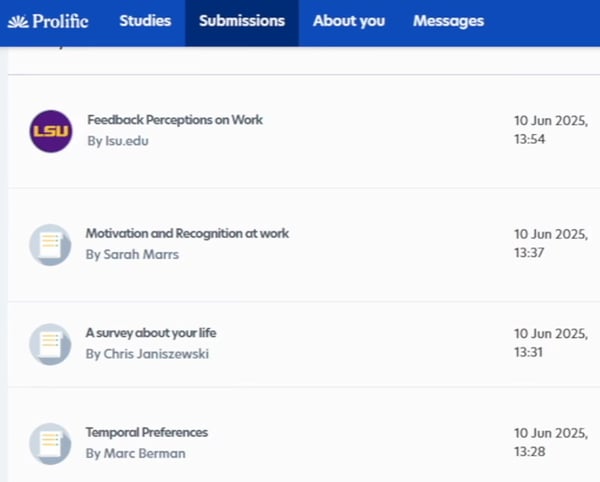
Some G2 users mentioned occasionally encountering rushed or less detailed responses, which they noted could influence data integrity in certain cases. That said, many reviewers also highlight Prolific’s strong participant quality and diversity, noting that these factors contribute positively to the overall research experience.
I observed reviewers highlighting that Prolific’s pricing structure may require additional budget planning, particularly for large-scale studies with many participants. Reviewers mentioned that service fees can increase as participant numbers grow, while also acknowledging the value the platform provides through its reliable and high-quality participant pool.
Overall, based on the G2 feedback I reviewed, Prolific is seen as a dependable and efficient research platform. Its combination of streamlined recruitment, participant reliability, and supportive resources makes it a trusted choice for teams seeking meaningful, high-quality data.
What I like about Prolific:
- The recruiting process feels really smooth and fast to me, something I’ve often seen G2 users praise as saving them time and hassle.
- The quality of the participants is really good. I noticed G2 reviewers frequently mention that they can count on getting reliable feedback from both broad and niche groups.
What G2 users like about Prolific:
“Prolific makes it simple to find high-quality research participants quickly. The platform is easy to navigate, and the filters help target the right audience efficiently. It saves a lot of time compared to manual recruitment, and the results are reliable.”
– Prolific Review, Nomsa P.
What I dislike about Prolific:
- Occasional rushed responses may affect data integrity, though many reviewers highlight Prolific’s strong participant quality and diversity.
- Prolific’s pricing structure may require additional budget planning for large-scale studies, though many reviewers highlight the value of its reliable, high-quality participant pool.
What G2 users dislike about Prolific:
“I wish there were a lower platform fee.”
– Prolific Review, Chang G.
6. Respondent: Best for sourcing niche B2B and professional users
Respondent is a real-time marketplace for sourcing and scheduling research interviews with participants anywhere in the world. According to G2 Data, it is used by 65% small businesses.
One of the most frequently praised aspects is its survey setup and execution. In fact, 92% of reviewers highlighted this feature, noting that projects often pay substantial amounts. Users say the higher compensation makes their time and effort feel well worth it compared to typical survey platforms.
Another feature often mentioned is customized study recommendations. Reviewers appreciate that projects are filtered based on their topics, fields, and industries, increasing the chances of being matched with opportunities that fit their expertise. Many say this tailored approach makes their contributions more relevant and meaningful for researchers.
I’ve also come across consistent praise for the payment process. Reviewers describe it as both fast and reliable, with compensation often arriving quickly after completing a study. Compared to other platforms where delays are common, users say this speed builds trust and creates a smoother overall experience.
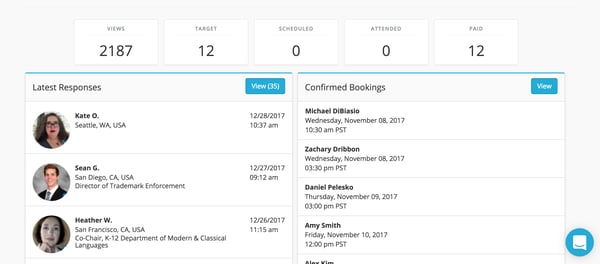
Respondent provides built-in tools to manage participant payouts after completed studies. Some G2 users mentioned wanting more flexibility in payout options, noting that transaction fees or transfer methods can affect final earnings in certain cases. At the same time, many reviewers appreciate the platform’s quick payout turnaround, which helps ensure timely and predictable compensation.
Overall, based on G2 feedback I reviewed, Respondent stands out for its high pay rates, personalized project matching, and fast, trustworthy payments.
What I like about Respondent:
- The pay rates really stand out to me. G2 users often mentioned projects paying substantially, which makes the time feel worthwhile.
- I’ve also noticed how the platform recommends studies. G2 users note that most reccos match their field or expertise, making the work feel more relevant.
What G2 users like about Respondent:
“I really love how Respondent allows me to upload moderated or unmoderated products related to my projects, and then it shortlists applicants or participants from their database. It's great that they have verified profiles, not only personally but also on an organizational basis, which helps me feel more confident about the feedback I'm getting. This feature is invaluable because it lets me get strong, trustworthy feedback on my products. I can use that input to make more informed decisions and improvements on my projects.”
– Respondent Review, Lokesh G.
What I dislike about Respondent:
- Respondent includes built-in participant payout tools. Users noted they would welcome more flexibility in payout options, though many appreciate the platform’s quick and predictable compensation turnaround.
What G2 users dislike about Respondent:
“I kinda get confused whenever it's time to log in or whenever I first go to the website. It gives me the option of being a researcher or a participant. I really don't understand why it doesn't have two different domains.”
– Respondent Review, Janette G.
7. Dovetail: Best for organizing and analyzing qualitative data
Dovetail is an AI-first insights hub designed to help organizations centralize and transform scattered customer feedback into actionable insights. According to G2 Data, it is used by 51% mid-market teams.
A consistent highlight is its AI-powered transcription and analysis, which reviewers say saves significant time. Many note that this feature helps them move quickly from raw interviews to meaningful takeaways, allowing them to focus on applying insights instead of getting bogged down in manual work.
Another frequently noted strength is Dovetail’s site-wide search functionality. Reviewers value its ability to surface related content across projects with a simple keyword search. Reviewers say this makes it easier to connect themes and avoid losing valuable insights, leading to more comprehensive and reliable research outcomes.
Many G2 reviewers also highlight Dovetail’s intuitive interface and AI-powered capabilities that make organizing research insights easier. Users appreciate how the platform helps build a centralized insights library where interviews, notes, and feedback can be stored, tagged, and analyzed in one place. With AI assisting in tasks like transcription, summarization, and tagging, teams can quickly surface patterns and transform qualitative data into actionable insights.
I’ve also seen many reviewers praise the direct Zoom integration. Users appreciate being able to automatically link and transcribe interviews without manual uploads or extra tools. They describe this seamless process as keeping everything organized and making research workflows smoother from start to finish.
Dovetail is also widely regarded for its versatility as a research repository. Teams use it not just for storing feedback, but also for synthesizing insights across multiple sources, making it a centralized hub that supports ongoing collaboration
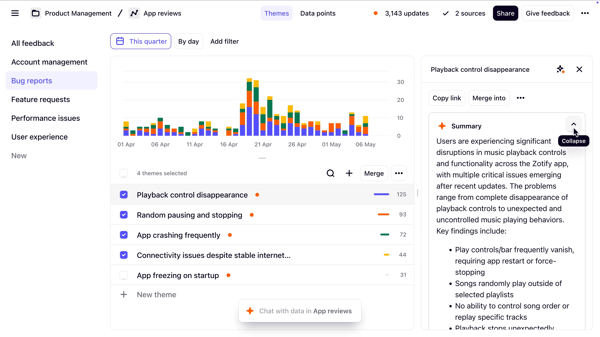
Dovetail provides a tagging system to organize and analyze research insights across projects. Reviewers mention that understanding how folders, projects, and tags interact can take time, which may occasionally lead to duplicate tags during setup. Still, many reviewers note that with a clear tagging strategy, the system becomes precise and dependable, helping teams generate higher-quality insights.
Dovetail supports collaborative research workflows that help teams organize and analyze insights at scale. Some G2 users mentioned that new team members may need time to get familiar with existing workflows, particularly in organizations with established processes. They also note that once teams are comfortable with the platform, it significantly improves efficiency and insight generation.
Overall, based on G2 feedback I reviewed, Dovetail is seen as a transformative tool for managing and synthesizing user feedback, praised for its AI-driven efficiency, powerful search, and ability to streamline research at scale.
What I like about Dovetail:
- The AI-powered transcription and analysis really stood out to me. G2 users often mentioned how much time it saves by turning interviews into insights quickly.
- I’ve liked the site-wide search functionality. I've noted G2 user sentiment to align with this, as many say it makes it easy to connect themes across projects without losing valuable findings.
What G2 users like about Dovetail:
“Without Dovetail, I wouldn't be able to conduct as many user interviews or extract actionable insights as effectively as I do now. Having access to a complete transcript, automated highlights, and the ability to edit everything allows me to relax and concentrate fully on each interview. I use Dovetail several times a week. Recently, I've started integrating Intercom and am also working on connecting Slack to bring in insights from the customer support team.”
– Dovetail Review, Nils A.
What I dislike about Dovetail:
- Understanding how folders, projects, and tags interact can take time, though many users say a clear tagging strategy makes analysis more precise and reliable.
- New team members may need time to get familiar with established processes, though many say it ultimately improves efficiency and insight generation.
What G2 users dislike about Dovetail:
“Project folders and organisation could improve. Not being able to have a personalized view of the workspace can make finding projects and general administration more complicated than needed. Admin channels' resources could also improve, allowing admins to assign channels to specific users or projects, which could make the administration of resources and cost control way more effective.”
– Dovetail Review, Hector M.
User research software: Frequently asked questions (FAQs)
Q1: What is the best software for conducting user research in digital agencies?
UserTesting is a top choice for digital agencies. It captures real users interacting with products via screen, voice, and facial expressions, which is ideal for usability testing and stakeholder-ready video insights.
Q2: What is the best user testing tool for new apps?
Several user research platforms can support testing for new apps. Tools like UserTesting, Dscout, and Discuss help teams observe real users interacting with products through interviews, usability testing, and feedback sessions.
Q3: What is the top user research software for SaaS companies?
Platforms like Dscout, Discuss, and UserTesting enable teams to run interviews and usability studies, while tools such as Dovetail help organize and analyze research insights. The best choice often depends on the team’s research methods, scale, and collaboration needs.
Q4: What is the most recommended user feedback tool for mobile applications?
Dscout is best known for in-context, diary-style mobile research. It lets users record video, photo, and text entries over time, giving deep insights into real mobile experiences.
Q5: Is there a user research software comparison tailored for software companies?
Yes. Software companies often compare user research tools based on capabilities. For example, User Interviews and Respondent focus on recruitment, Discuss and Dscout support live research sessions, and Dovetail helps teams organize and analyze research insights.
Q6: What is the best user insights platform for mid-size businesses?
Dovetail stands out for mid-size teams needing to organize and analyze qualitative data collaboratively. It offers a free plan and scales affordably as your research needs grow.
Q7: What’s the best user research software for tech startups?
Platforms like User Interviews, Prolific, Discuss, and Dscout help tech startups recruit participants, run interviews, and gather user feedback efficiently, allowing teams to validate ideas and improve products early in development.
Q8: What is the leading user research service for software development teams?
Respondent is best for sourcing niche B2B users and professionals, especially for enterprise software research. It helps development teams connect with verified participants across industries.
Q9: Which user research app is top-rated for the service industry?
Discuss is a strong choice for service-focused businesses conducting moderated interviews and focus groups. It supports real-time sessions, transcripts, and highlight reels for stakeholder sharing.
Q10: What is the best UX research tool for small businesses?
Platforms such as User Interviews, Discuss, Prolific, and Dscout support participant recruitment, interviews, and usability testing, helping smaller teams collect user feedback and improve their products without complex workflows.
Still guessing what users want?
You’ve got the shortlist. Now it’s time to commit. Because skipping user research tools means you’re basically building on biases, and biases don’t drive conversions.
Without structured insights, you risk launching features no one asked for, misreading customer pain points, or worse, thinking you know the user when you really don’t.
A good tool turns “we think” into “we know.” So go ahead, make the call. Your users (and your roadmap) will thank you.
Once you’ve picked your user research platform, pair it with a product analytics tool to see how those insights actually play out in real user behavior.